# Add a Payment Method

### 3. Add payment method <a href="#id-3.-add-payment-method" id="id-3.-add-payment-method"></a>

For the WhatsApp account to activate, you need to add a card or payment method.

1. Go to your [Meta Business Manager](https://business.facebook.com/settings/whatsapp-business-accounts/106676589182397?business_id=1501389280339074) to setup and select:\
   a) WhatsApp Accounts\
   b) Click on the new WA account\
   c) Settings \
   d) Payment Settings

<figure><img src="https://358667285-files.gitbook.io/~/files/v0/b/gitbook-x-prod.appspot.com/o/spaces%2FzMRQUXiGQlBwWdg6WEmG%2Fuploads%2FKMVu9h5DzUdhGYiJbPMb%2FImage%20for%203.avif?alt=media&#x26;token=56bf540b-0702-42d8-8a2e-f29b8c0d5d99" alt=""><figcaption></figcaption></figure>

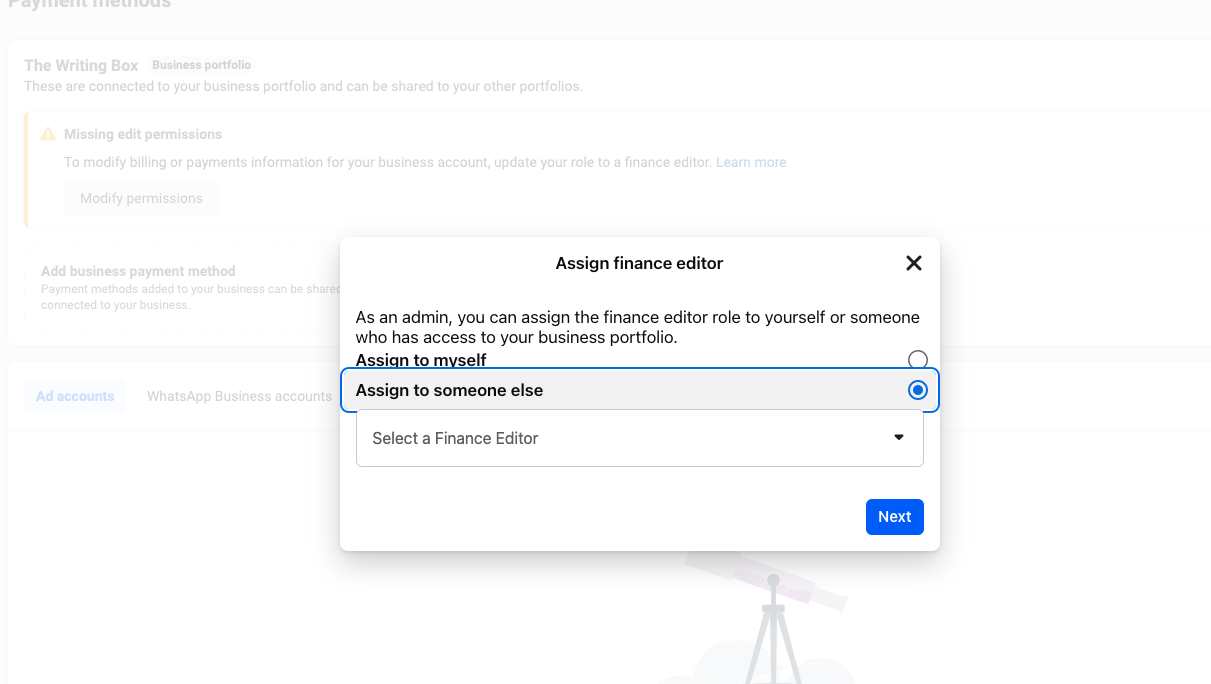
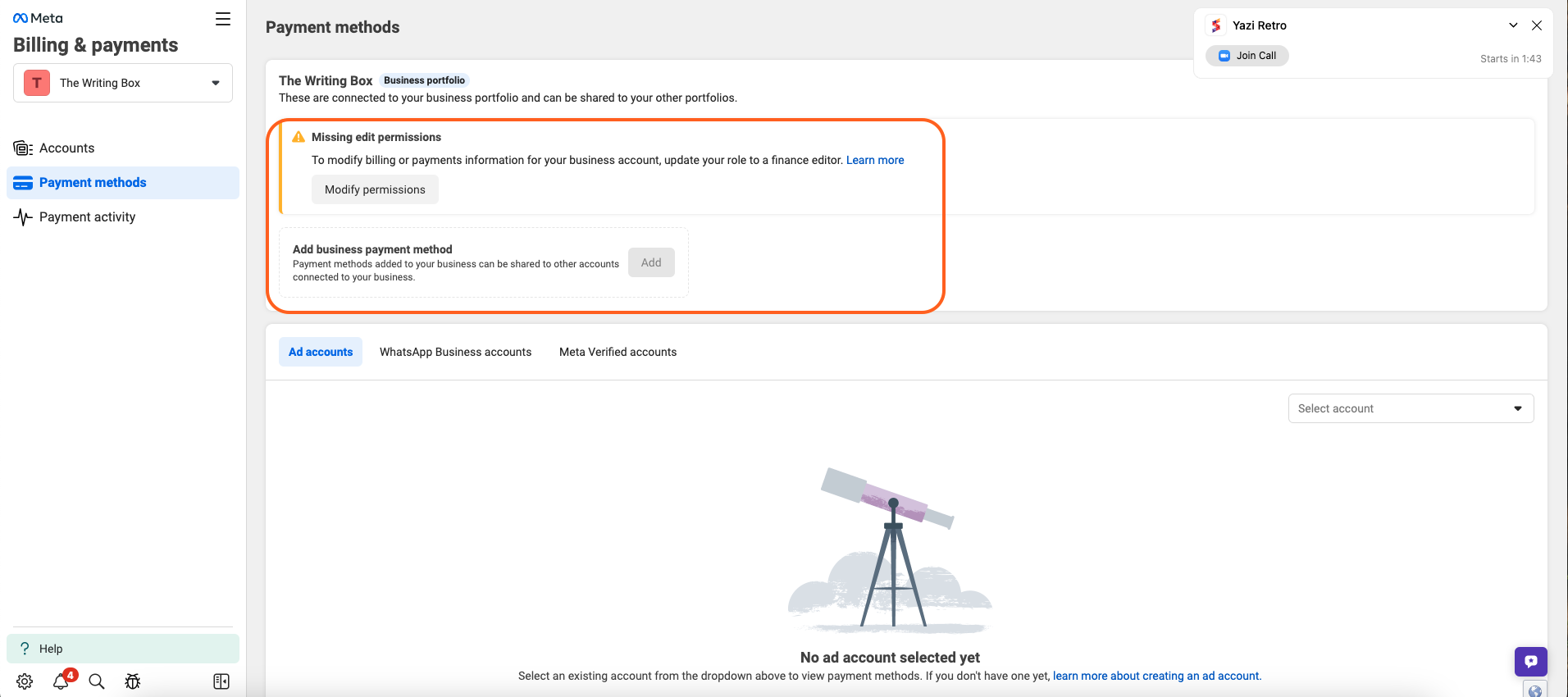
1. Modify finance permissions and add to yourself to be able to add card
2. Add business payment method -> to the overall account
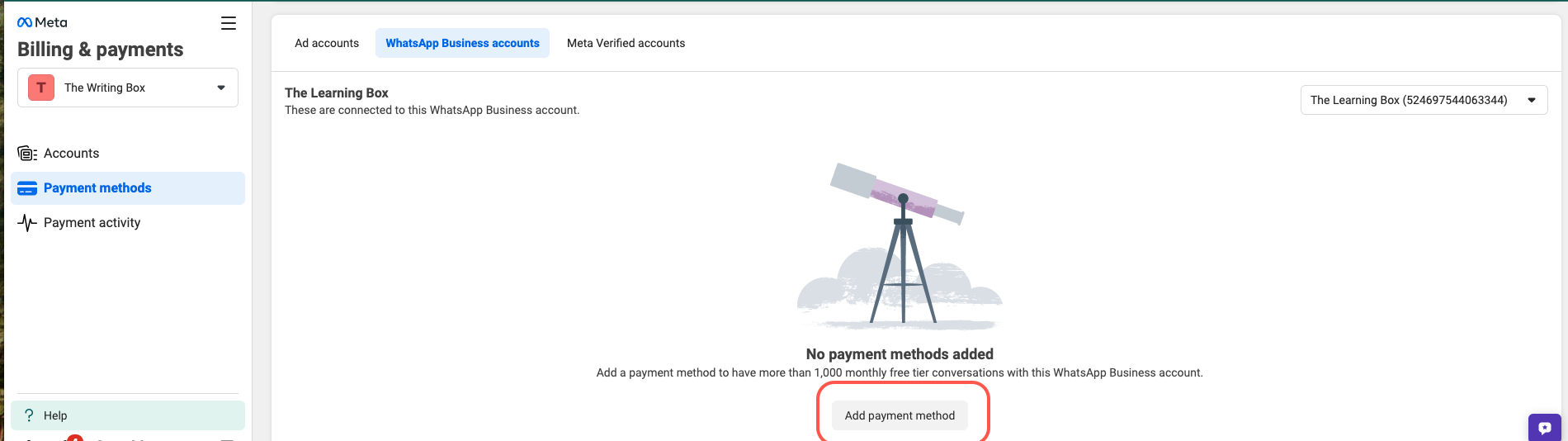
3. Then add that payment method to the WhatsApp account

<figure><img src="https://358667285-files.gitbook.io/~/files/v0/b/gitbook-x-prod.appspot.com/o/spaces%2FzMRQUXiGQlBwWdg6WEmG%2Fuploads%2Flt2AyJesEO6hLcyyvUQo%2FScreenshot%202025-01-24%20at%2016.28.17.png?alt=media&#x26;token=5bff6b89-d71d-4250-9789-a69e835207fb" alt=""><figcaption></figcaption></figure>

<figure><img src="https://358667285-files.gitbook.io/~/files/v0/b/gitbook-x-prod.appspot.com/o/spaces%2FzMRQUXiGQlBwWdg6WEmG%2Fuploads%2FFeUpy91xRNpQpQoG415k%2FScreenshot%202025-01-24%20at%2016.35.45.png?alt=media&#x26;token=a4dd39d4-a9ea-4f7f-9f8f-8255cfddd6e0" alt=""><figcaption></figcaption></figure>

<figure><img src="https://358667285-files.gitbook.io/~/files/v0/b/gitbook-x-prod.appspot.com/o/spaces%2FzMRQUXiGQlBwWdg6WEmG%2Fuploads%2FwbcocUD8zQJGOLbj3AHu%2FScreenshot%202025-01-24%20at%2016.37.47.png?alt=media&#x26;token=9870863c-4a8a-4494-9503-d153682edcf8" alt=""><figcaption></figcaption></figure>