> For the complete documentation index, see [llms.txt](https://docs.askyazi.com/llms.txt). Markdown versions of documentation pages are available by appending `.md` to page URLs; this page is available as [Markdown](https://docs.askyazi.com/zoom-in-on-advanced-features/data-enrichment.md).
# Data Enrichment
### Overview
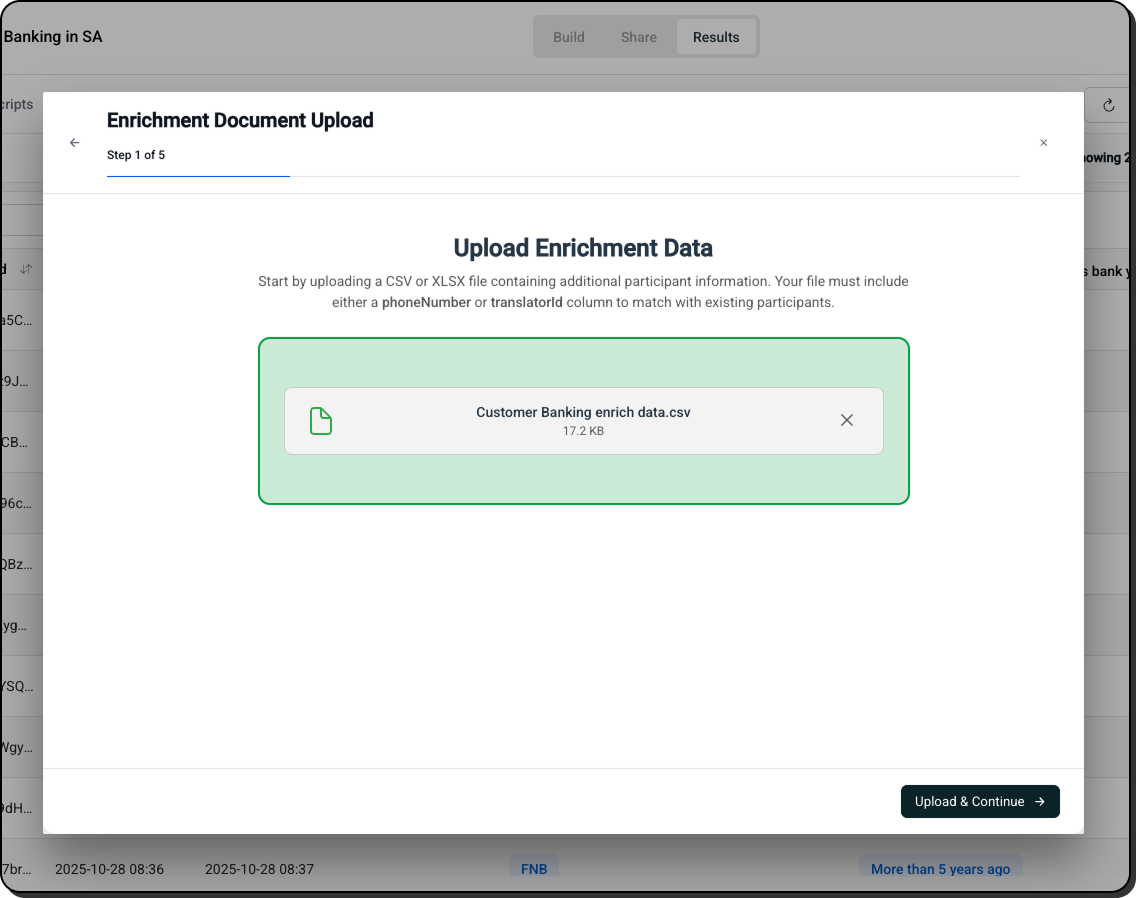
Data enrichment allows you to merge external participant data with your study results — adding demographic, behavioural, or contextual information you already hold into the same dataset as your survey responses. This eliminates the need to re-ask questions participants have already answered elsewhere, and enables deeper cross-analysis of your results.
***
### How It Works
#### The Matching Process
1. Navigate to the **Table Data** tab in your study results
2. Click **Enrich**
3. Upload a CSV or Excel file containing your existing participant data
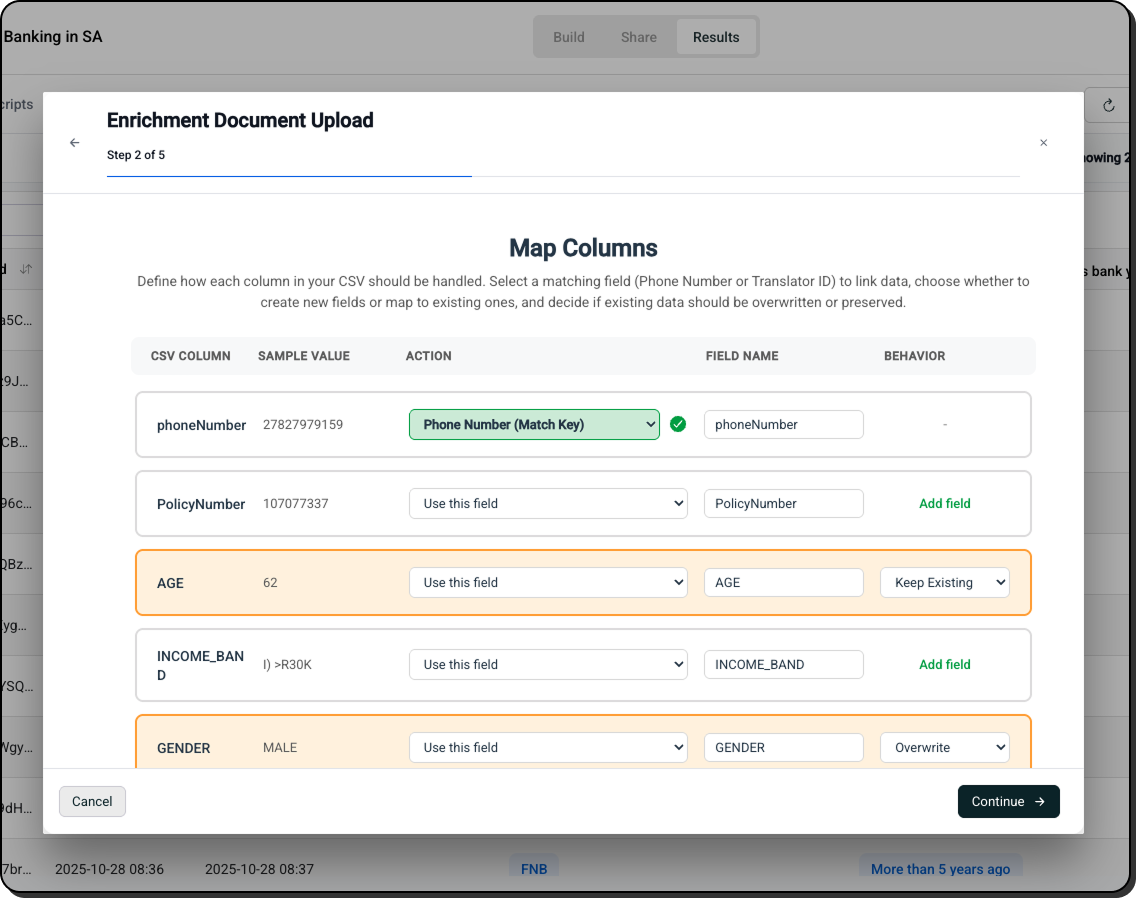
4. Yazi matches each row in your uploaded file to the corresponding participant in the study using the **phone number** as the matching key
5. Matched data appears as additional columns on the right side of the table, alongside your study responses
> **Important:** Your enrichment file must contain a phone number column, formatted consistently with the phone numbers in your study data (including country code). Mismatched formats will result in failed matches.
***
### What You Can Enrich With
#### From Recruitment Screeners
If your recruitment agency collected qualifying data before participants entered the study, upload that screener data to enrich your results:
* **Demographics** — age, gender, income, education, location
* **Behavioral data** — product usage, brand ownership, purchase frequency
* **Segment classification** — which quota cell each participant belongs to
This means you don't need to re-ask demographic questions inside the study itself, keeping the study shorter and improving completion rates.
#### From Your CRM or Customer Database
Merge internal customer data with survey responses to cross-analyse attitudes with actual behaviour:
* **Customer tier** — premium vs. standard vs. new customer
* **Purchase history** — recent purchases, average spend, product category
* **Account status** — active, dormant, churned
* **Tenure** — how long they've been a customer
#### From Previous Studies
Upload results from an earlier research wave to track changes in attitudes or behaviour over time:
* Map responses from Wave 1 to Wave 2 participants
* Compare individual-level changes across survey periods
* Identify participants whose views have shifted significantly
#### From Panel Providers
If using a recruitment panel, the provider may supply additional participant attributes:
* **Panel ID** — for tracking and incentive reconciliation
* **Profile data** — pre-verified demographics from the panel database
* **Study participation history** — other studies this participant has completed
***
### CSV Format Requirements
Your enrichment file should be structured as:
| phone\_number | field\_1 | field\_2 | field\_3 |
| ------------- | -------- | -------- | -------- |
| +27821234567 | Female | 28 | Premium |
| +44771234567 | Male | 34 | Standard |
**Requirements:**
* **Phone number column is mandatory** — this is the only matching key
* **Country codes must be included** — format consistently with your study data
* **Any additional columns** will be imported as enrichment fields
* **Column headers** become the field names shown in the table
* **No limit on additional columns** — add as many enrichment fields as needed
***
### Viewing Enriched Data
Once enrichment is complete, your table expands to show:
* All original study responses (left side)
* All enrichment fields (right side, clearly separated)
You can then:
* **Filter by enrichment fields** — show only female participants, or only premium customers
* **Sort by enrichment data** — order results by age, customer tier, or any other field
* **Export combined data** — download the full enriched dataset as Excel or CSV
* **Use in Graph Data cross-tabs** — cross-tabulate survey responses by any enrichment field
***
### Use Cases
| Scenario | What You Enrich With | What You Gain |
| ------------------------------- | ------------------------------------------------ | ---------------------------------------------------------- |
| **Customer satisfaction study** | CRM data (customer tier, tenure, purchase value) | Understand how satisfaction varies by customer value |
| **Product trial feedback** | Screener demographics | Analyse responses by age, gender, income without re-asking |
| **Panel research** | Panel profile data | Leverage pre-verified demographics for deeper analysis |
| **Longitudinal tracking** | Previous wave responses | Compare individual-level attitude changes over time |
| **Employee research** | HR data (department, tenure, location) | Cross-analyse feedback by team or seniority |
***
### Known Limitations
* **Phone number matching only** — the only matching key is phone number. If participants used a different number to complete the study than the one in your enrichment file, they won't be matched.
* **Format consistency** — phone numbers must be in exactly the same format in both files. A number with a + prefix in one file and without in another will not match.
* **No automatic re-enrichment** — if you update your enrichment file, you'll need to re-upload it to refresh the data in the table.
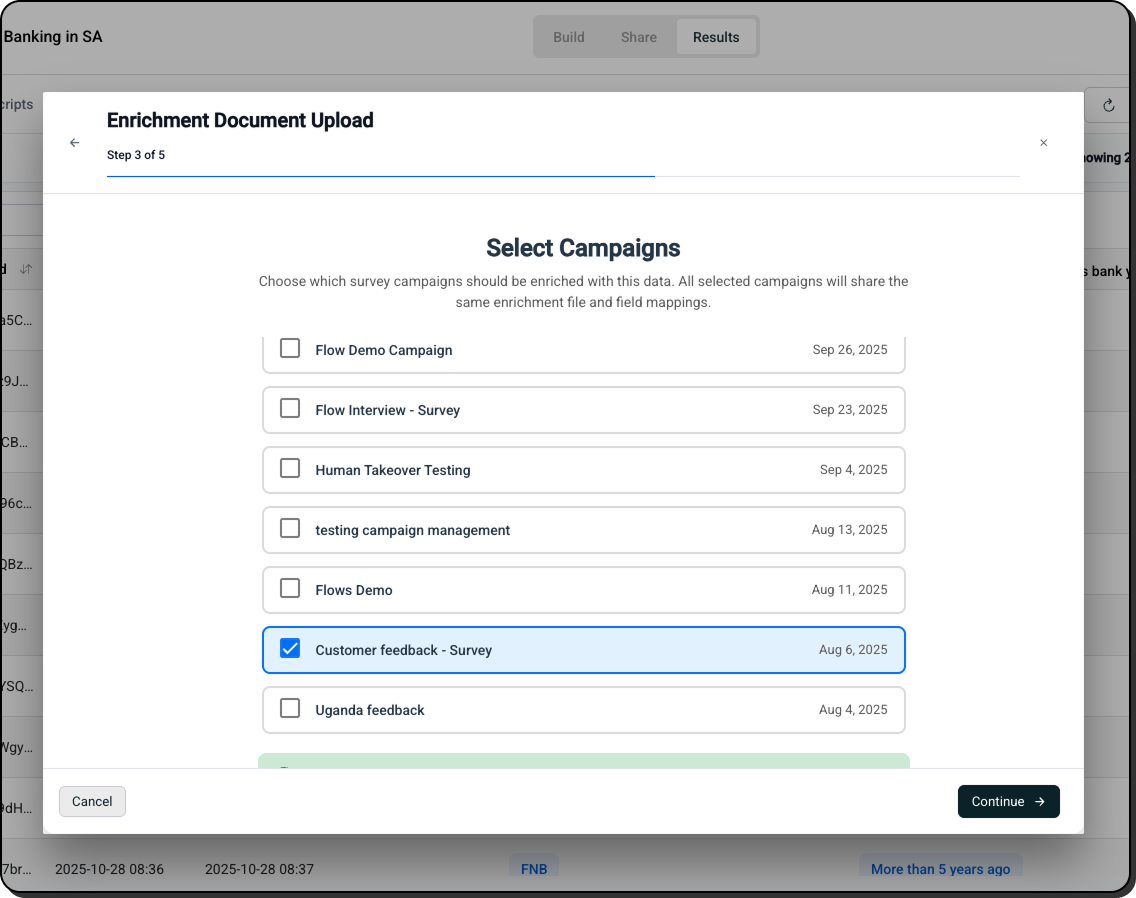
* **Enrichment is per study** — enrichment data applies only to the study you uploaded it to. It does not carry across to other studies.