> For the complete documentation index, see [llms.txt](https://docs.askyazi.com/llms.txt). Markdown versions of documentation pages are available by appending `.md` to page URLs; this page is available as [Markdown](https://docs.askyazi.com/zoom-in-on-advanced-features/language-translation.md).
# Language Translation
### Overview
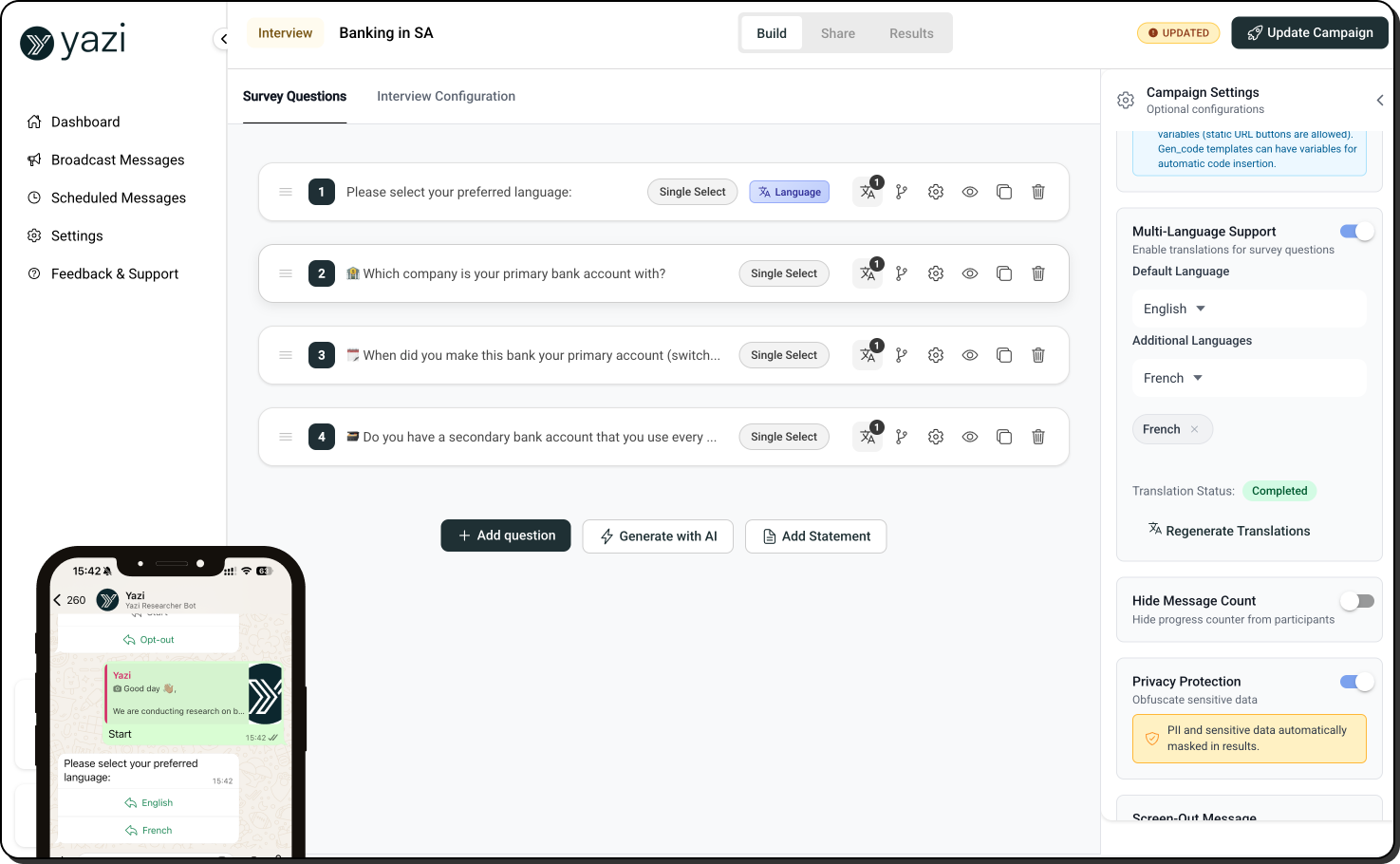
Yazi's translation feature allows you to run a single study across multiple languages without building separate studies for each. Write your questions once in your primary language, translate them automatically, and let participants choose their preferred language at the start — all responses are captured and translated back for unified analysis.
***
### How It Works
#### Setup
1. Build your study as normal in your primary language (typically English)
2. Navigate to **Study Settings**
3. Select **Add Language** and choose your target languages
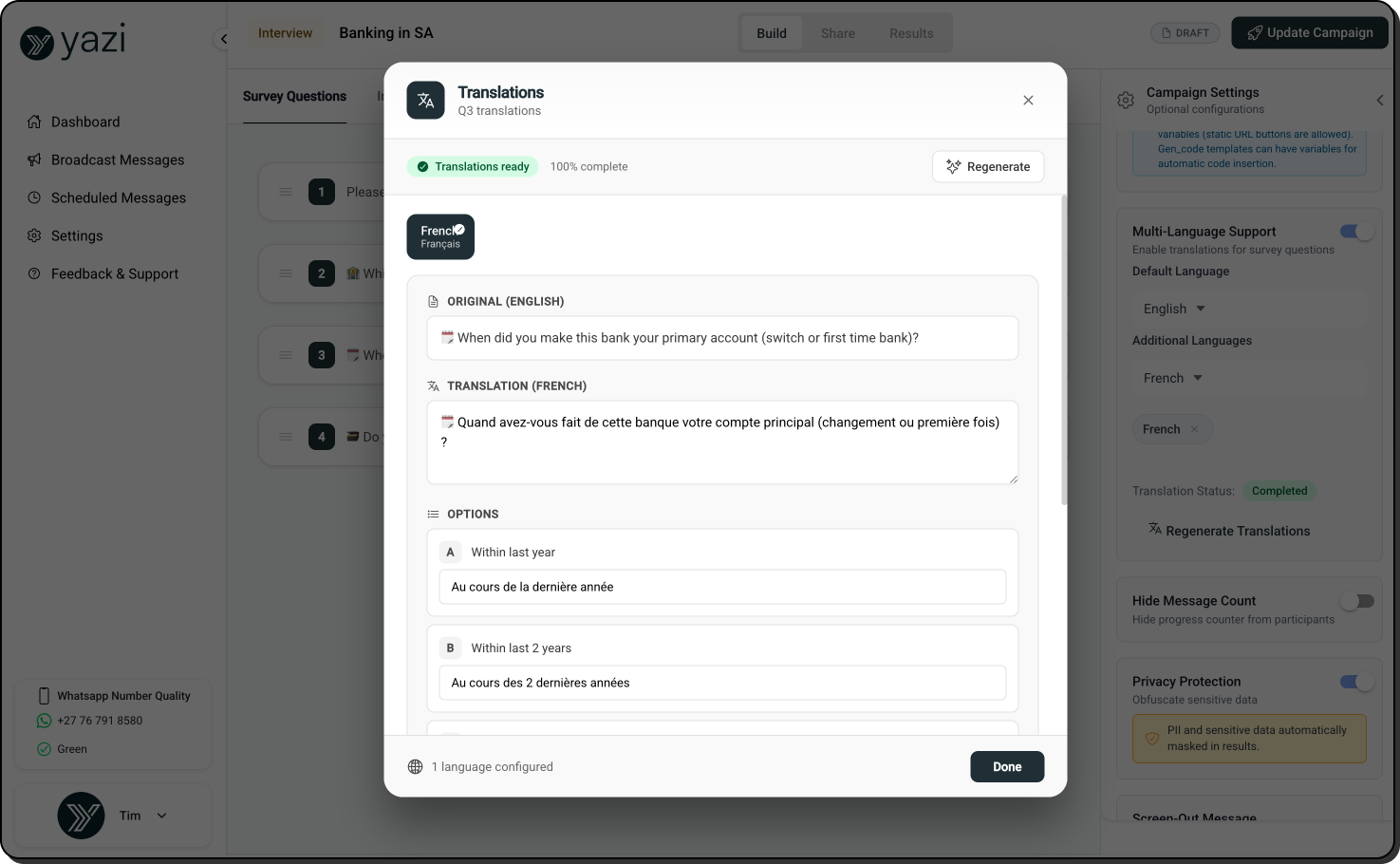
4. Yazi automatically translates all questions, answer options, intro messages, and closing messages using Google Translate
5. Review and manually edit any translations before publishing
#### Participant Experience
1. At the start of the study, the participant is shown a language selection question
2. They choose their preferred language
3. All questions, options, and messages render in their chosen language for the entire study
4. The participant responds naturally in their chosen language
#### Results
All responses appear in the Table Data view with three columns per question:
* **Original response** — exactly what the participant submitted, in their language
* **Translated response** — automatically translated back into your primary language
* **Audio/video transcription** — if the participant submitted a voice note or video, the transcript appears in both the original language and translated
This gives you a clean, unified dataset regardless of how many languages were used.
***
### Multi-Day Studies
For multi-day sequential studies, language settings are configured **once at the study level** and apply automatically across every activity:
* Participants select their language once at the beginning of Activity 1
* The same language is used for all subsequent activities — Day 2, Day 3, and beyond
* No need to configure translations separately per activity
* Participants are never asked to re-select their language
***
### Manual Translation Editing
Google Translate provides a strong starting point but may miss nuance, local terminology, or industry-specific language. Before publishing:
* Review each translated question and answer option
* Edit any translations that feel unnatural or inaccurate
* Pay particular attention to brand names, product terminology, and culturally specific concepts
* Test the translated version by completing the study in each language before launch
> **Tip:** For critical or sensitive research, have a native speaker review translations before launch, particularly for languages with regional dialect variations.
***
### Supported Languages
Yazi supports all languages available through Google Translate, including:
* **African languages** — Zulu, Xhosa, Afrikaans, Swahili, Amharic, Yoruba, and more
* **European languages** — French, German, Spanish, Portuguese, Italian, Dutch, Welsh, and more
* **Asian languages** — Mandarin, Japanese, Korean, Hindi, and more
> **Note:** Translation quality varies by language. Major world languages (French, Spanish, German, Mandarin) translate with high accuracy. Less common languages may require more manual editing.
***
### Code-Switching
Participants who naturally mix languages (common in multilingual markets) can do so freely. Yazi captures the original mixed-language response and translates it in full. This is particularly valuable in markets like South Africa where participants often blend English with local languages in a single response.
***
### Translation in Diary Studies
For diary studies, all menu items, journey questions, custom session messages, and session complete messages are translated. Participants interact with the menu and all logging screens in their chosen language throughout the entire study period.
***
### Known Limitations
* **Flows rendering** — translation is fully supported in In-Chat mode. Verify translation compatibility if using Flows, as some dynamic rendering elements may behave differently.
* **Translation accuracy** — automated translation is not perfect. Manual review is strongly recommended before launch.
* **Language selection** — once a participant selects a language, it applies for their entire study. They cannot change language mid-study.
* **Character limits** — some translations produce longer text than the original, which may affect button and option display in WhatsApp. Check for any red validation warnings after translating.